Benefits of Custom Website Development: Why Building Your Own Site Pays Off

Your website often meets customers before you do. If it looks like a hundred other sites or can’t handle what your business needs, visitors notice quickly and leave. That’s why the benefits of custom website development matter to any business that wants its site to work as hard as its team does.

Custom development means a team designs and codes your site from scratch around your goals. You’re not squeezing your business into a ready-made template. This guide explains how it works and how it compares with templates. It also covers when it’s worth the investment and when it isn’t.

What Is Custom Website Development?
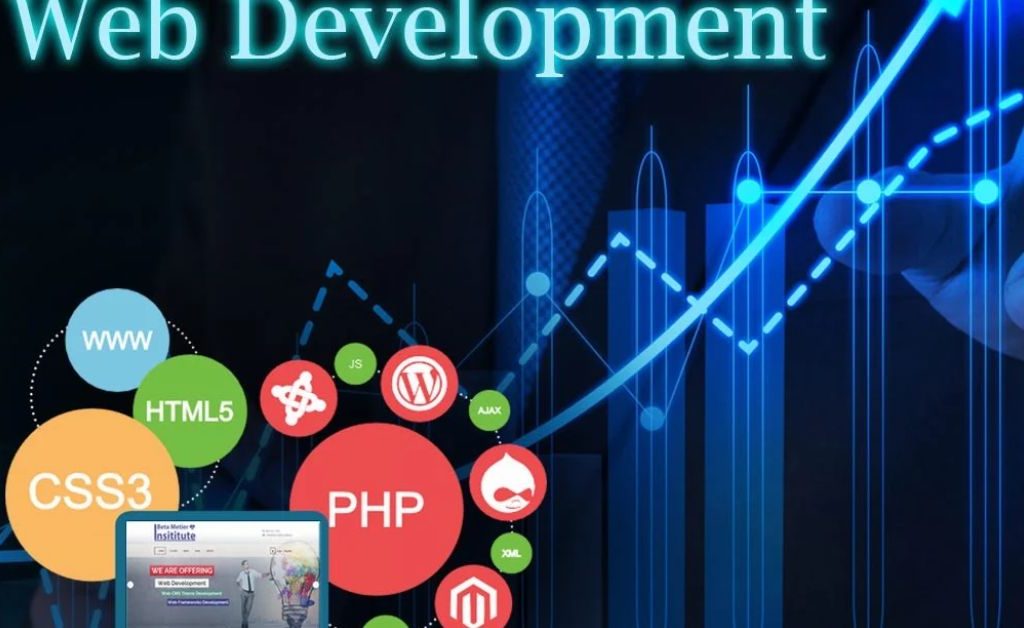
Custom website development is the process of designing and coding a website for one specific business. Developers plan the structure and write the code. They build features around your requirements instead of adjusting a pre-built theme. The result is a site that reflects how your company actually operates.

Most projects start with a discovery phase, where the team learns about your audience, goals and existing tools. After that come wireframes, design, development, testing and launch. Because nothing is pre-made, every step can be shaped around what you need.

Key Benefits of Custom Website Development

Here’s what a tailor-made site can do for your business.

Unique Brand Identity

Templates are used by thousands of websites, so your layout may look familiar to your visitors. A custom design lets you control colors, typography, spacing and interactions. Your site can then feel like your brand and not like a theme with a logo added.

Features Built Around Your Workflow

Off-the-shelf tools give you what the average user needs. A custom build lets you add exactly what your business requires, such as a booking system, a pricing calculator or a customer portal. You can also connect your site to your CRM or inventory software. This saves your team time and gives customers a smoother experience.

Better Speed and Performance

Templates and plugins often carry code you never use, and that extra weight slows pages down. A custom site includes only what it needs. Faster pages are easier to browse and keep more visitors on your site.

Stronger Security

Most website breaches happen through outdated plugins or themes. A custom build usually relies on fewer third-party add-ons, which can reduce your exposure. Developers can also build in safeguards that match your risk level, such as secure payment handling or role-based access. No site is ever completely immune, but a thoughtful build gives you a stronger starting point.

Room to Scale

Your business won’t stay the same size forever. A custom site can be planned for growth, so adding products, users or new tools doesn’t mean starting over. This flexibility saves money and stress when your traffic or catalog grows.

SEO-Friendly Foundation

Search engines reward sites that are fast, well structured and easy to crawl. With custom development, you control the page structure, URLs, schema markup and loading behavior from day one. This doesn’t guarantee rankings, because content quality and authority still matter. It does remove many technical roadblocks.

Long-Term Cost Value

A custom site usually costs more upfront than a template. Over time, though, you may spend less on plugin licenses, workarounds and rebuilds. You can also negotiate ownership of the code in your contract, which gives you more control over your site’s future.

Custom Website vs Template Website

Choosing between the two comes down to your goals, budget and timeline. This table gives a quick snapshot of the main differences.

FactorCustom WebsiteTemplate Website
DesignBuilt from scratch for your brandBased on a shared theme
FeaturesBuilt to your exact needsLimited to theme and plugins
SpeedOptimized, with no unused codeCan slow down with extra plugins
ScalabilityPlanned for growthMay need a rebuild later
Upfront costHigherLower
Launch timeLongerFaster

The table shows why the benefits of custom website development tend to grow with your business. Templates win on cost and speed at the start. A custom site usually wins once your needs become more specific.

When Custom Website Development Makes Sense

Custom work suits businesses with particular needs. Think of online stores with complex catalogs, booking platforms, membership sites, or companies that must connect their website to internal software. It also fits brands that depend on a distinctive online experience. In these cases, the benefits of custom website development often outweigh the higher starting price.

A template can still be the smarter choice for a simple portfolio, a short-term campaign or a tight budget. If you need only a handful of pages and standard features, a well-chosen theme may do the job. Be honest about your growth plans before you decide.

How to Get the Most From Your Custom Website

Start with clear goals. Write down who your visitors are, what you want them to do and which features matter most. Share this with your developer in the first meeting. Then ask about their process, past projects, timelines and what support looks like after launch.

Plan for maintenance as well. Even a well-built site needs updates, backups and regular security checks. Confirm in your contract who owns the code and who handles ongoing support. Understanding the benefits of custom website development is only half the work. The other half is choosing a partner who can deliver them.

FAQs

1. Is custom website development worth the cost?
It often is for businesses with specific features or growth plans. If your needs are simple, a template may be enough.

2. How long does a custom website take to build?
Most projects take several weeks to a few months, depending on size, features and how quickly feedback is shared.

3. Is a custom website better for SEO?
It gives you more control over speed, structure and technical details. Rankings still depend on content quality, relevance and backlinks.

4. Can I update a custom website myself?
Yes, if your developer builds a content management system suited to your team. Ask for training at handover.

5. What’s the difference between custom and template development?
A template starts with a pre-made design that you adjust. Custom development builds the design and features from scratch around your business.

Conclusion

A custom website gives you a distinctive brand, features that fit your workflow and a foundation that can grow with you. It also offers better performance, stronger security and long-term value. The upfront cost is higher, but the benefits of custom website development can pay off over time for the right business.

Before you commit, list your goals, compare your options and talk with a few developers. If your needs are specific or your plans are ambitious, custom is worth a serious look. If they’re simple, a template can still serve you well.


Website Development Services in the USA: How to Choose the Right Partner

A slow or confusing website can lose a customer in seconds. US shoppers compare options with a few taps, so your site must load fast, work on every device, and look trustworthy from the first click. Website development services handle that technical side by building, testing, launching, and maintaining your site.

This guide is for US business owners and marketers who are ready to hire help. You will learn what these services include, which platform fits your goals, and how US rules on accessibility and privacy affect your site. You will also see how to compare providers and spot red flags. Use it as a checklist before you sign any contract.

What Do Website Development Services Include?

Professional website development services usually cover five stages: discovery, design handoff, coding, testing, and launch. Discovery sets your goals, audience, and must-have features. Coding then turns approved designs into a working site, and testing checks speed, security, and device compatibility before anything goes live.

Most projects continue into maintenance after launch. That means security updates, backups, bug fixes, and regular performance checks. Skipping this stage is a common reason sites become slow or vulnerable over time.

Front-End vs Back-End Work

Front-end development builds what visitors see and use, such as menus, forms, and page layouts. Back-end development powers the hidden side, including databases, user logins, payment processing, and connections to other tools. Both must work together for the site to feel smooth.

Web Design vs Web Development

Web design decides how your site looks and feels, including colors, fonts, and layout. Web development makes that design function with code, servers, and integrations. Many US agencies offer both, which keeps the look and the technical build aligned.

Read this:How to Speed Up a WordPress Website: 9 Fixes Small Business Owners Can Make

Main Types of Website Development Services

The right service depends on what your site needs to do. A local plumber needs something very different from a subscription software company. These are the most common options:

  • CMS websites: Sites you can edit yourself, usually on WordPress or a similar platform.
  • E-commerce development: Online stores with product pages, carts, checkout, and payment tools.
  • Custom website development: Sites built from scratch for unique design or features.
  • Web application development: Portals, dashboards, booking tools, and software products.
  • API and integration work: Connections to your CRM, email platform, or accounting tools.
  • Maintenance and support: Ongoing updates, monitoring, backups, and fixes.

Many projects mix two or three of these. For example, an online store may need e-commerce development plus a CRM integration. List your needs first, then ask each provider how they would handle every item.

Which Platform Is Right for Your Business?

Your platform shapes your costs, flexibility, and the skills your team needs later. There is no single best choice, so match the platform to your goals. The table below gives a quick comparison.

PlatformStrengthConsider It If
WordPressFlexible, with a huge plugin libraryYou publish content often and want full control
ShopifyBuilt-in store and payment toolsYour main goal is selling products online
WebflowStrong visual design controlDesign quality is your top priority
Custom codeTotal freedom and scalabilityYou need unique features or complex logic

Do not pick a platform because a developer prefers it. Ask why it suits your business and what it will cost to maintain in two or three years. A good provider will explain trade-offs honestly, even when the answer is a simpler tool.

US Requirements Your Website Should Meet

US businesses face a few rules that affect how a site is built. Accessibility is one of them. Many sites follow the WCAG guidelines to help visitors with disabilities and to lower the risk of ADA-related complaints. Privacy is another. If you collect data from California residents, laws such as the CCPA may apply, and many other states have their own rules. Good website development services plan for these points early instead of patching them in later. This is general information, so check with a qualified lawyer about your specific obligations.

Payments and performance matter too. If you accept cards on your site, your setup should follow PCI DSS standards, which most payment platforms help you meet. Google also measures page experience through Core Web Vitals, which track loading speed, layout stability, and responsiveness. A site that scores poorly can frustrate users and weaken your search visibility.

How Much Do Website Development Services Cost in the USA?

Prices vary widely because projects vary widely. A simple brochure site can cost far less than a custom store, and a custom software platform can cost far more than both. Published pricing guides often disagree by thousands of dollars, so treat any single number with caution. The most reliable approach is to request itemized quotes for the same scope from several providers.

Your final cost depends on design complexity, number of features, integrations, content volume, and the team’s experience. Timeline matters too, since rushed projects often cost more. Ask each provider what is included and what would count as an extra.

Common Pricing Models

Fixed-price contracts suit projects with a clear scope, but changes may cost extra. Hourly billing offers flexibility when requirements will shift, though the final total can grow. Monthly retainers or subscriptions work well for ongoing improvements, as long as you know exactly what each month covers.

Costs Beyond the Build

The launch is not the end of your spending. Plan for hosting, your domain name, paid plugins or licenses, security tools, and a maintenance plan. Adding these to your budget from day one avoids unpleasant surprises later.

US-Based, Freelance, or Offshore: Who Should Build Your Site?

Freelancers can be a good fit for small, well-defined projects. They are often affordable and quick to start, but one person may struggle if the work grows or they become unavailable. Agencies bring a full team of designers, developers, and project managers, which helps with larger or more complex builds.

Location also matters. US-based teams share your time zone and legal system, which can simplify meetings and contracts. Offshore teams may lower costs, but you should check communication habits, working hours, and how the contract handles code ownership. Whichever route you choose, put deliverables, timelines, and ownership rights in writing.

you must Read:WordPress Website Performance: How to Measure It, Improve It, and Keep It Steady

How to Choose a Provider for Website Development Services

Start by writing a short brief with your goals, audience, must-have features, budget, and deadline. A clear brief helps every provider quote accurately. It also shows you quickly who asks smart questions and who simply sends a price.

Then compare providers with this checklist:

  • Portfolio: Open live projects on your phone and test speed and usability.
  • Relevant experience: Look for work in your industry or with similar goals.
  • Security and compliance: Ask how they handle data protection, accessibility, and payments.
  • Communication: Check how often they update you and how clearly they explain technical points.
  • References and reviews: Speak to past clients if you can.
  • Post-launch support: Confirm response times and who fixes issues after go-live.

Red Flags to Watch For

Be careful with providers who promise guaranteed rankings or unusually low prices. SEO results depend on many factors, and a very cheap quote often hides extra fees or weak code. Vague proposals, no written contract, and refusal to share past work are also warning signs.

Also watch for unclear ownership terms. You should own your site’s code, content, and domain once you have paid. If a provider hesitates to confirm this in writing, look elsewhere.

FAQs

1. How long do website development services usually take?

A simple business site may take a few weeks, while custom stores and web applications often take several months. Clear content and fast approvals shorten the timeline.

2. Are website development services worth it for small businesses?

Yes, if your site brings in leads or sales. A well-built site also saves time through easier updates and fewer technical problems.

3. Should I choose a template or a custom website?

Templates suit tight budgets and simple needs. Custom builds make more sense when you need unique features, stronger performance, or room to scale.

4. Do I need ongoing website maintenance?

Yes. Updates, backups, and security checks keep your site safe, fast, and working properly.

5. Who owns the website after the project ends?

You should, but only if your contract says so. Confirm ownership of code, design files, content, and your domain before work begins.

Conclusion

Choosing the right website development services comes down to clear goals, an honest budget, and a team you can trust. When you know the service types, platform options, and US requirements, you can judge proposals with confidence. Ask direct questions about cost, ownership, and support before you commit.

Your next step is simple. Write your brief, request itemized quotes from two or three providers, and compare them using the checklist above. A little preparation now can save time, money, and stress later.